Userguild
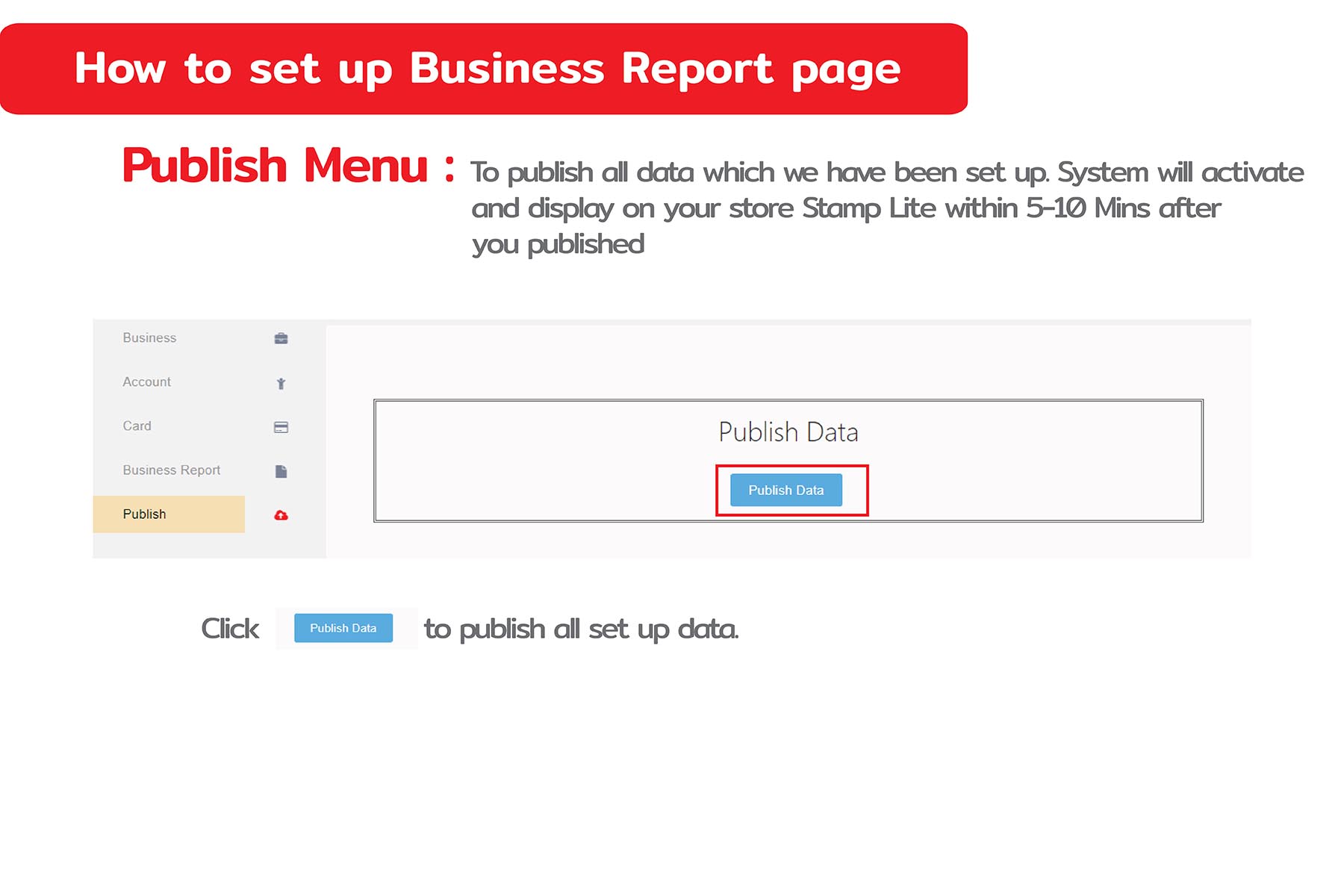
How to set up Publish Menu
Publish Menu To publish all data which we have been set up. System will activate and display on your store Stamp Lite within 5-10 Mins after you published

Publish Menu To publish all data which we have been set up. System will activate and display on your store Stamp Lite within 5-10 Mins after you published
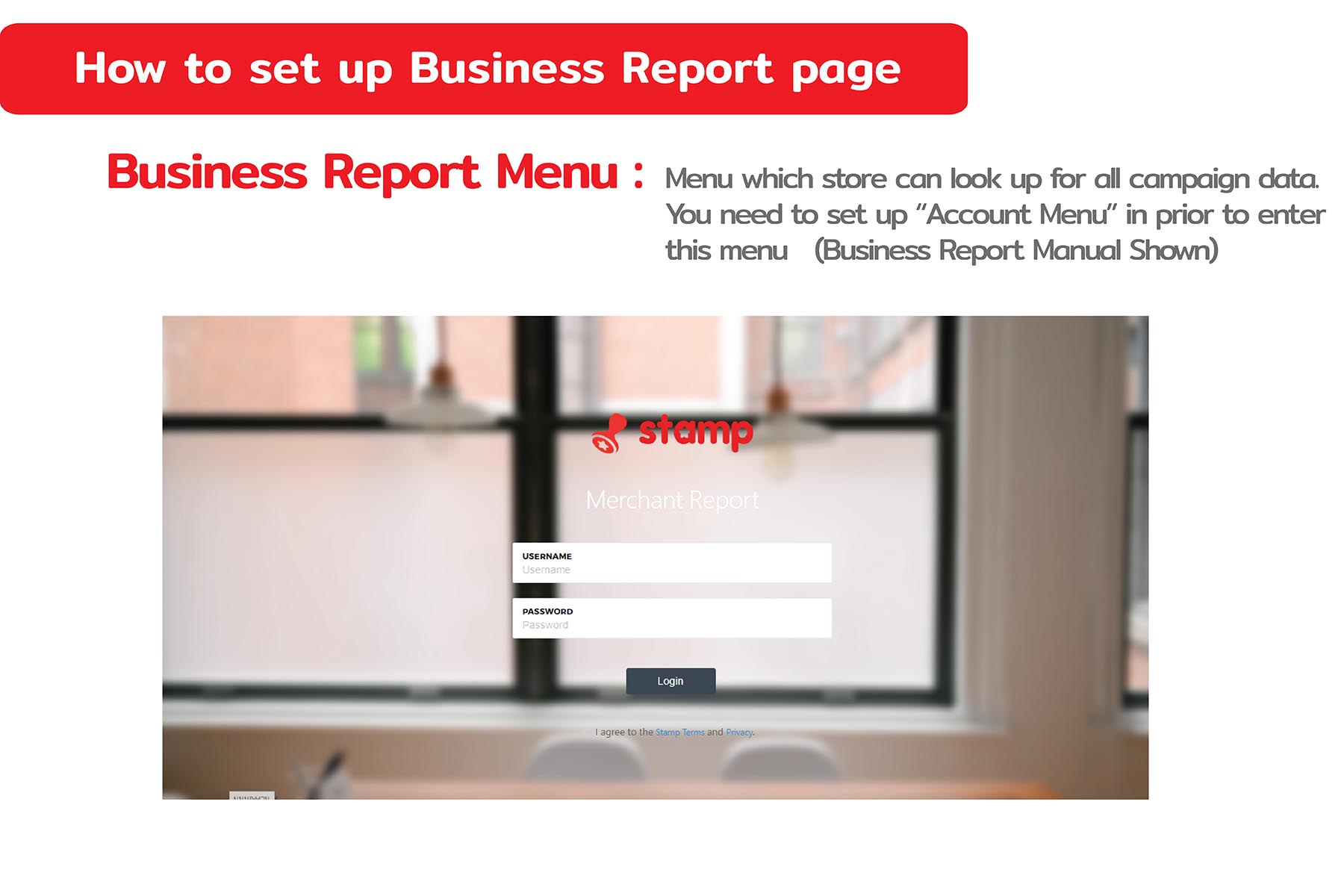
Business Report Menu Menu which store can look up for all campaign data. You need to set up “Account Menu” in prior to enter this menu (Business Report Manual Shown)
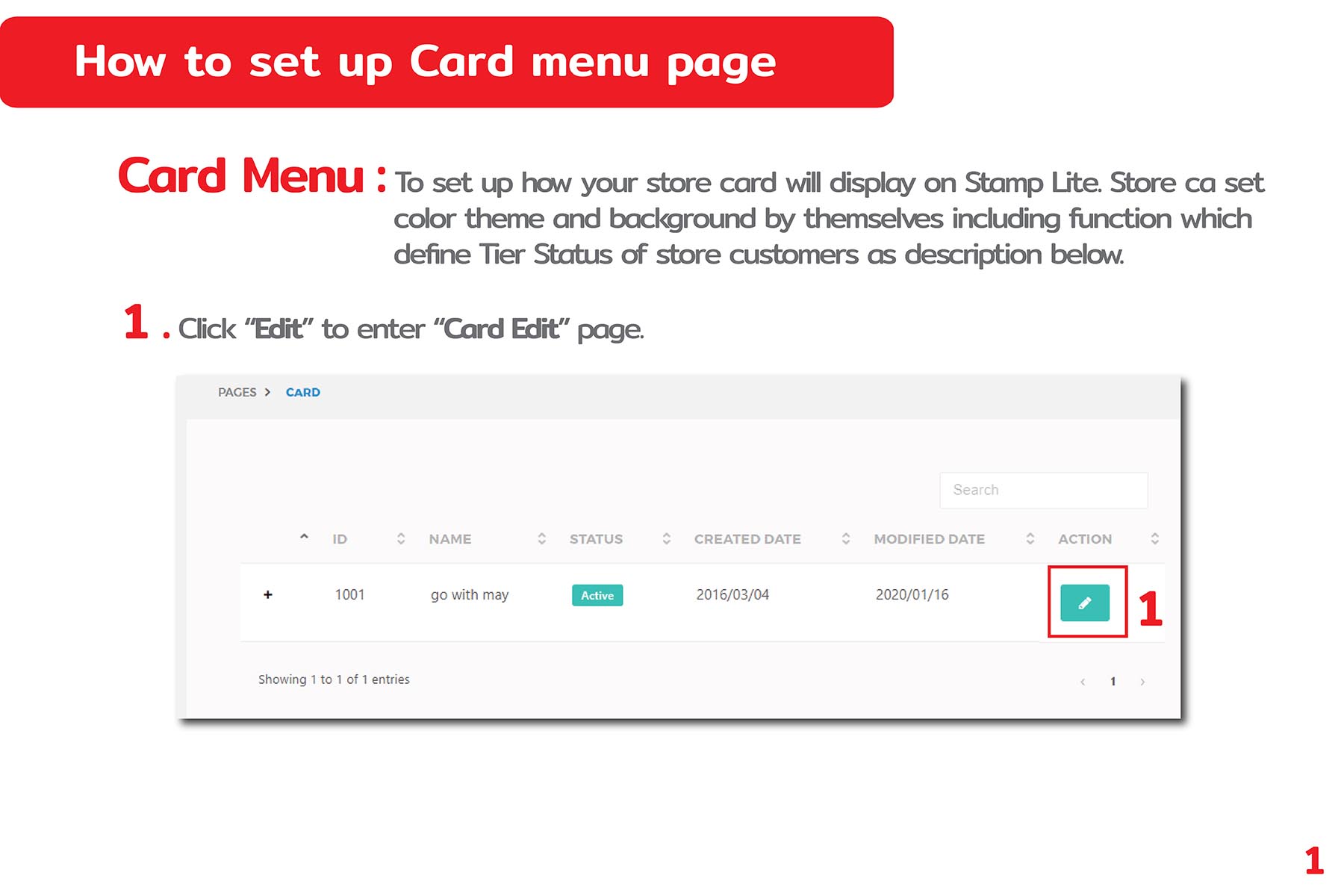
Card Menu To set up how your store card will display on stamp Lite. Store ca set color theme and background by themselves including function which defines Tier status of store customers as description below.
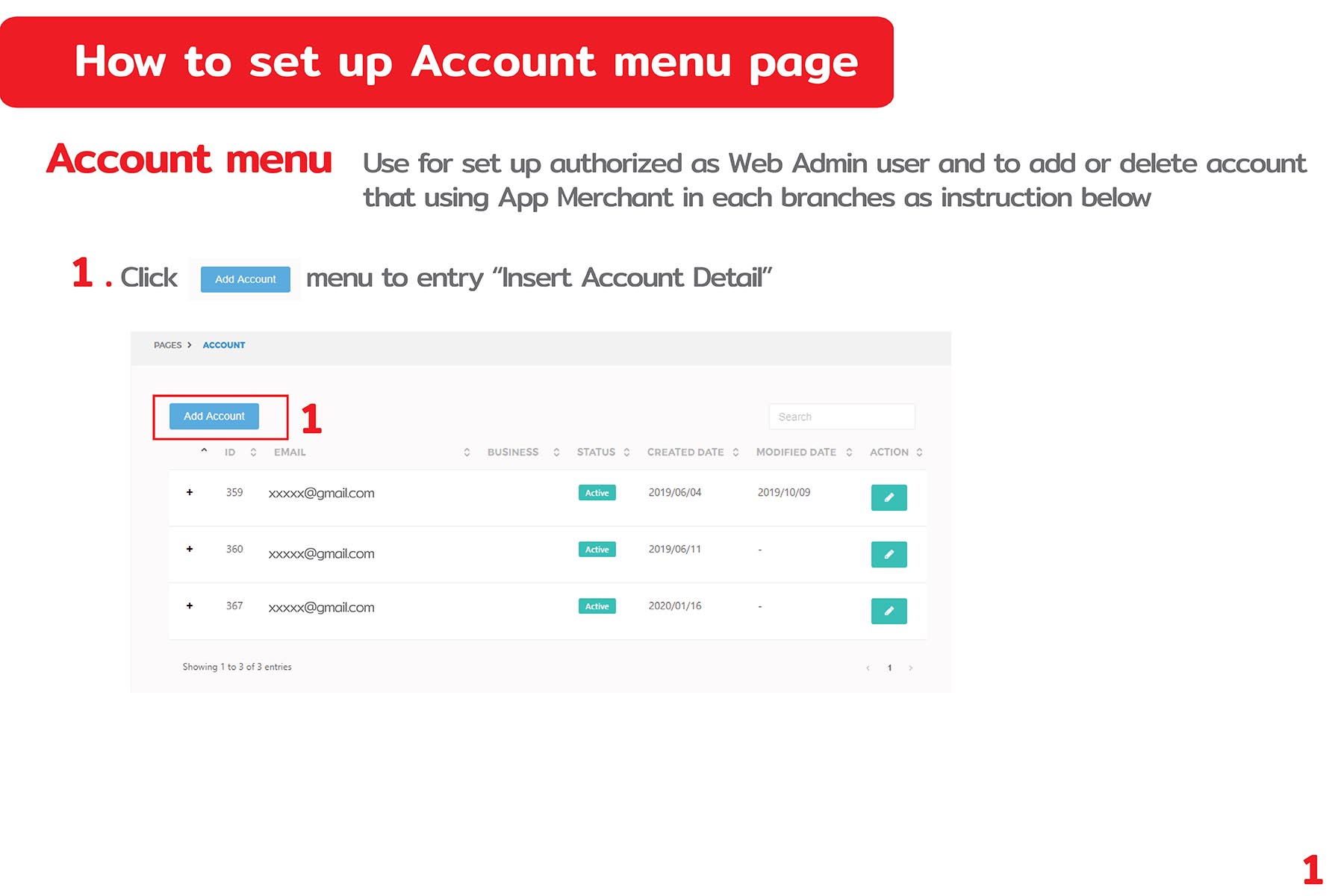
Account Menu Use for set up authorize as Web Admin user and to add or delete account that using App Merchant in each branchs as instruction below
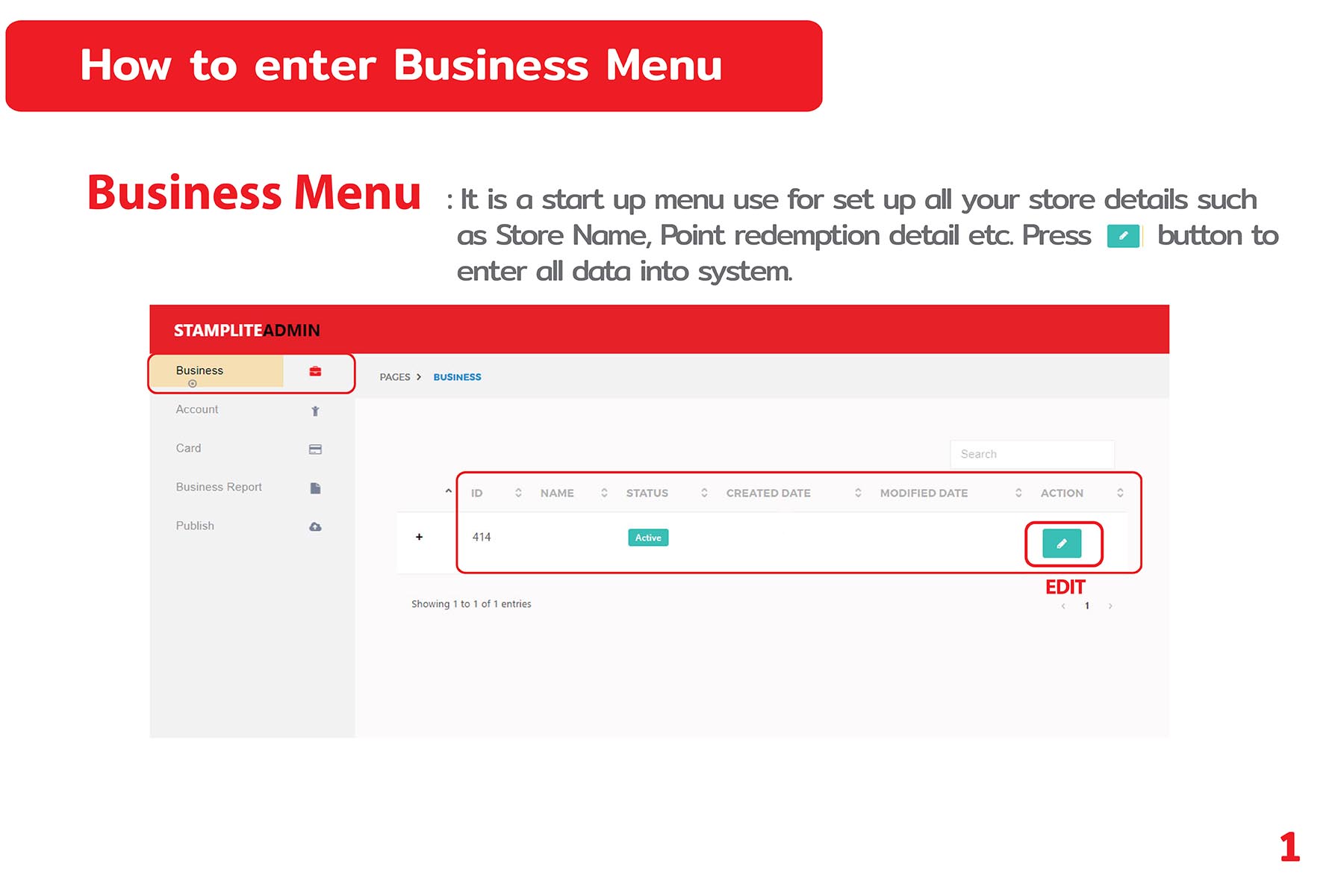
business Manu It is start up menu use for set up all your store details such as store name, point redemption detail etc. press buttom to enter all data into system
